WiFi Extenders vs. Mesh vs. Powerline: An Honest Breakdown of What's Actually Worth Your Money in 2024
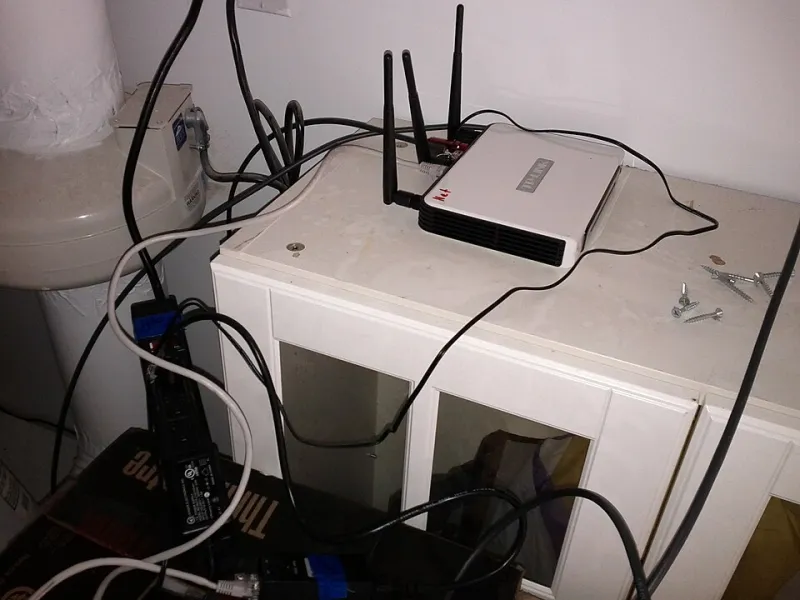
Photo: Alyx Baldwin, CC BY-SA 4.0, via Wikimedia Commons
If you've spent any time shopping for a WiFi solution lately, you've probably noticed something: everyone seems to have an opinion about what you should buy, and somehow that opinion almost always points toward the priciest option on the shelf. Mesh systems get breathless reviews. Powerline adapters get dismissed as outdated. And WiFi extenders? They get dunked on constantly, despite being the right answer for a huge chunk of American households.
Let's cut through the marketing noise. Here's an honest, practical look at all three technologies—what they actually do well, where they fall short, and which one makes sense for your specific situation.
Understanding What You're Actually Comparing
First, a quick level-set on how each technology works, because the marketing language tends to obscure more than it reveals.
WiFi extenders (also called range extenders or repeaters) pick up your existing router's signal and rebroadcast it to cover a wider area. They're wireless devices that plug into a standard outlet and don't require any new wiring. The tradeoff is that they're working with whatever signal they receive from your router, so placement matters a lot.
Mesh systems replace your existing router with a set of coordinated nodes that all share the same network name and hand off your devices seamlessly as you move through your home. They're elegant and user-friendly, but they come with a higher price tag and often require a subscription for the best features.
Powerline adapters take a completely different approach—they use your home's existing electrical wiring to carry network data between two adapter units. One plugs in near your router (connected via ethernet), and another plugs in wherever you need connectivity. No wireless backhaul, no signal degradation through walls.
Now that we're all speaking the same language, let's talk about what actually matters: your home size, your budget, and what you're doing online.
Homes Under 2,000 Square Feet
For most apartments, condos, and smaller single-family homes in this size range, the honest answer is that you probably don't need a mesh system. A quality router paired with a single WiFi extender will handle the coverage you need at a fraction of the cost.
A solid dual-band WiFi extender in the $30–$80 range can extend your signal through two or three walls and cover an additional 1,000–1,500 square feet reliably. For a 1,400-square-foot ranch home or a two-bedroom apartment with a stubborn back bedroom dead zone, that's all you need.
The argument for going mesh at this size is mostly about convenience—one network name, seamless roaming, a nicer app. Those are real benefits, but they come at a cost of $150–$400 for entry-level mesh kits. If your budget is tight or you just need coverage rather than a premium experience, an extender wins here on pure value.
Powerline is worth considering in this size range if your home has thick walls, old plaster construction, or other physical obstacles that eat wireless signal. A basic powerline adapter kit runs $40–$70 and delivers a wired-quality connection to a hard-to-reach room without any wireless interference concerns.
Bottom line for under 2,000 sq ft: WiFi extender for most people. Powerline if you have wall material issues. Mesh only if budget isn't a concern and you want a polished experience.
Homes Between 2,000 and 4,000 Square Feet
This is where the conversation gets more interesting. In the 2,000–4,000 square foot range—think colonial homes, larger ranch layouts, two-story builds with finished basements—a single extender often isn't enough, and the right answer depends heavily on what you're doing online.
For general browsing, streaming, and everyday use, two well-placed WiFi extenders can cover a home in this range effectively. The key is thinking of them as a relay chain rather than independent units. Extender one sits between the router and the middle of the home. Extender two sits between extender one and the far end. Done right, this setup costs $100–$160 total and covers the whole footprint.
For remote workers and video call-heavy households, you want more stability than a wireless relay chain can always guarantee. This is where a mesh system or a hybrid approach—mesh nodes for the main living and work areas, with a powerline adapter feeding a wired access point in the home office—starts to justify its price. Consistent latency and reliable uptime matter more when your job depends on it.
For gamers, wired is always king, but that's not always practical. If you're gaming on a console or PC and can't run an ethernet cable directly, a powerline adapter is often the best wireless alternative in this size range. It delivers low, consistent latency that WiFi extenders and even mesh systems can't always match, especially during peak hours when wireless interference is higher.
For heavy 4K streaming across multiple devices, a tri-band mesh system or a tri-band extender with a dedicated backhaul channel is worth the investment. Entry-level dual-band mesh systems sometimes create bottlenecks when multiple devices are hammering the network simultaneously.
Bottom line for 2,000–4,000 sq ft: Multiple extenders for general use, powerline for gaming and remote work, mesh if you want seamless management and have the budget ($200–$500 range).
Homes Over 4,000 Square Feet
At this size—large single-family homes, multi-story builds, homes with detached garages or guest houses—you're in territory where a single technology rarely does the whole job. The most effective setups in large homes tend to be hybrid approaches.
A whole-home mesh system is the most convenient solution at this scale, and brands like Eero, Orbi, and Google Nest WiFi Pro are genuinely good products. A three or four-node mesh system can cover 4,000–6,000 square feet with consistent performance. But you're looking at $400–$800+ for a quality setup, and some of the best features (like advanced parental controls and network priority settings) are locked behind monthly subscriptions.
For large homes where budget is a factor, a combination approach works well: run ethernet cables (or use MoCA adapters over coax cable) to two or three key locations in the home, then attach wireless access points at each location. This gives you mesh-like performance at a lower overall cost, though it requires more setup effort.
Powerline adapters become less reliable at this scale because the electrical circuit layout of larger homes can create interference or signal loss over longer runs. They're still useful for specific problem spots, but they shouldn't be your primary coverage strategy in a 5,000-square-foot home.
Bottom line for 4,000+ sq ft: Mesh system if budget allows and you want simplicity. Wired access points via ethernet or MoCA for the best performance-to-cost ratio. Powerline for targeted spots, not whole-home coverage.
The Extender Reputation Problem
Here's something worth saying directly: WiFi extenders have a reputation problem that isn't entirely deserved. A lot of the criticism comes from people who bought cheap, outdated single-band extenders five years ago and had a bad experience, or from tech reviewers who compare entry-level extenders to premium mesh systems and declare the extender a loser.
Modern dual-band and tri-band extenders with dedicated backhaul channels perform significantly better than the old plug-in repeaters of the early 2010s. When placed correctly—which is the single biggest factor in extender performance—they deliver real, usable coverage improvements for a fraction of the cost of a mesh system.
The honest truth is that for the majority of American households, a quality extender placed thoughtfully is the right answer. Mesh systems are excellent products, but they're often overkill for the actual problem being solved.
A Quick Decision Framework
If you're still not sure which direction to go, run through these questions:
- Is your dead zone one or two rooms from your router? → Start with a single extender.
- Do you have thick plaster walls, a basement, or a detached structure? → Consider powerline or a wired access point.
- Do you work from home or game competitively? → Prioritize low latency; powerline or wired beats wireless.
- Is your home over 3,000 sq ft with multiple floors? → Mesh or a multi-extender setup.
- Is budget your primary constraint? → Extenders offer the best value at every size category.
- Do you want everything to just work with minimal fiddling? → Mesh systems have the best user experience.
The right WiFi expansion solution isn't about which technology sounds most impressive. It's about matching the tool to the problem in front of you. And more often than not, that problem has a simpler—and cheaper—answer than the marketing would have you believe.