Your Old WiFi Extender Doesn't Have to Die — Here's What to Do With It Instead
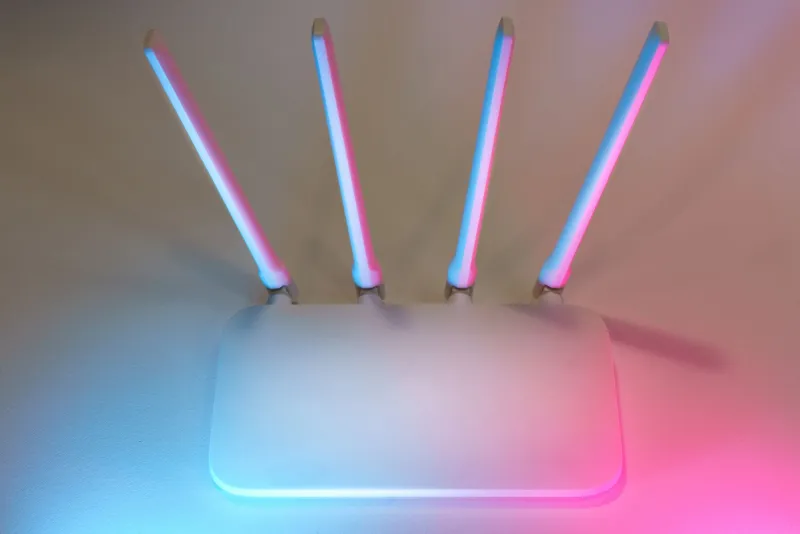
So the new extender arrived, you plugged it in, and suddenly your back bedroom actually gets a usable signal. Victory. But now there's that old unit sitting on your desk, blinking its little LEDs like it's waiting for a second chance. Sound familiar?
Here's the thing: a surprising number of people just shove retired networking gear into a junk drawer, forget about it for three years, and eventually toss it without a second thought. That's a shame — and not just for sentimental reasons. That little box still works. It still has value. And depending on what you do with it, it could save you money, help someone else, or at least keep a chunk of e-waste out of a landfill.
Let's talk through your real options.
Option 1: Give It a Second Life Somewhere Else in Your Home
Just because your main coverage problem is solved doesn't mean the rest of your property is perfectly blanketed. Think about the spaces that always felt like afterthoughts — the garage, a workshop, a basement, a detached guest house, or even a backyard patio where you like to work on weekends.
If your home's primary network now handles the living areas well, your old extender can quietly go to work somewhere less glamorous. A garage setup for smart devices, a basement gaming corner, or a patio speaker system that keeps cutting out — these are exactly the kinds of low-stakes environments where an older, slower extender is perfectly adequate.
The performance expectations are lower. The devices connecting out there probably aren't streaming 4K. A retired extender covering a Ring doorbell and a garage door opener is basically living its best life.
Option 2: Dedicate It to a Guest Network or IoT Devices
This one doesn't get talked about enough. A lot of routers let you run a separate guest network, and if you've got smart home devices — thermostats, bulbs, plugs, cameras — there's actually a solid security argument for keeping those on their own isolated network segment.
Your old extender can serve as the dedicated access point for that IoT layer. It keeps those devices connected without giving them any path to your main computers or personal files. It's not a perfect enterprise-grade solution, but for a typical US household, it's a practical, low-cost way to add a layer of separation between your laptop and your smart fridge.
Guests appreciate having their own network too — one that doesn't touch your personal stuff and doesn't require you to share your main password.
Option 3: Sell It and Recoup Some Cash
Older networking hardware moves on the secondhand market more than you'd think. Platforms like eBay, Facebook Marketplace, and OfferUp regularly have listings for used WiFi extenders, and buyers are out there — renters in smaller apartments, college students, people setting up a basic home office who don't want to spend $80 on something new.
Before listing it, do a quick factory reset (instructions are usually on the device itself or in the manual), wipe any personal config you've saved, and be honest in the description about the model age and what it supports. A well-priced, accurately described unit will sell. Don't expect to get half of what you paid, but $10–$25 for something that would otherwise collect dust is a real return.
If you still have the original box and accessories, even better — it bumps the perceived value noticeably.
Option 4: Donate It
Not everyone can afford to buy networking hardware, even the budget stuff. Local nonprofits, community centers, school programs, and organizations that support low-income families with technology access are often quietly in need of functional gear.
Organizations like PCs for People or local Habitat for Humanity ReStores sometimes accept working electronics. A quick call or email to a local community tech program can go a long way. You're not going to get a tax windfall from donating a $30 extender, but it does feel genuinely good — and it keeps working hardware in the hands of someone who needs it instead of a landfill.
Option 5: Recycle It Responsibly
If the device is too old, too slow, or too damaged to be useful to anyone, recycling is the right move — but not the trash can. WiFi extenders contain circuit boards, small amounts of lead, and other materials that don't belong in your regular garbage stream.
In the US, you've got a few solid options:
- Best Buy has an in-store electronics recycling program that accepts most consumer electronics, including small networking gear, for free.
- Staples runs a similar program at most locations.
- Earth911 (earth911.com) has a search tool that lets you find certified e-waste recyclers near your zip code.
- Some municipalities hold periodic electronics recycling events — worth checking your city or county website.
It takes maybe five extra minutes of effort compared to just throwing it away, and it's the responsible call.
Before You Do Anything: Check the Firmware Situation
If you're planning to repurpose or sell the device, take five minutes to check whether the manufacturer has released any recent firmware updates for that model. An outdated firmware can leave security vulnerabilities open — not a huge deal for a unit you're recycling, but definitely relevant if someone else is going to use it, or if you're putting it on a secondary network in your own home.
Log into the admin panel, check the current firmware version, compare it to what's listed on the manufacturer's support page, and update if needed. It's a small step that matters more than most people realize.
The Bigger Picture: E-Waste Is a Real Problem
The US generates more electronic waste per capita than almost any other country in the world. A lot of that comes from consumer tech turnover — devices that get replaced not because they're broken, but because something newer came along. WiFi extenders are a small piece of that puzzle, but they're still a piece.
Extending the life of a device — even by routing it to a lower-demand job — is genuinely better for the environment than replacing it outright. And when the device really has reached the end of its useful life, recycling it properly means the materials get recovered instead of sitting in a landfill leaching into groundwater.
None of this requires heroic effort. It's just a few extra steps between "I don't need this anymore" and "gone."
The Bottom Line
Your old extender served you well. Now it deserves a proper send-off — whether that's a new gig in the garage, a few bucks back in your pocket from a quick resale, a donation to someone who genuinely needs it, or a responsible trip to an e-waste recycler.
What it doesn't deserve is a slow death in a junk drawer.
Take twenty minutes. Figure out which option fits your situation. Your home network is stronger now — might as well make sure the transition was handled right.