Why Putting Your Router in the Perfect Spot Sets Your Extender Up to Fail

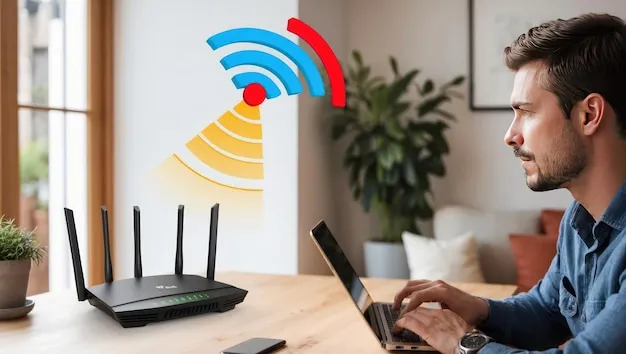
Photo by Photo by Hanna Morris on Unsplash on Unsplash
You did everything right. You read the guides, moved your router to the most central spot in your home, elevated it off the floor, and kept it away from the microwave. Your main WiFi coverage improved. Boxes checked, problem solved — until you realized the far bedroom, the garage, or that one stubborn corner of your home still gets nothing.
So you grabbed a WiFi extender. Plugged it in. And somehow, things barely got better.
Here's what nobody tells you upfront: the same logic that makes your router placement ideal for broadcasting signal is often the exact logic that makes extender placement a nightmare. It's a genuine architectural catch-22, and once you understand why it happens, you'll finally know how to fix it.
The "Center of the Home" Myth (Sort Of)
Placing your router in the middle of your home makes sense on paper. A signal radiates outward in all directions, so a central position theoretically gives every room an equal shot at decent coverage. For a single-device setup, that's solid advice.
The problem shows up the moment you introduce an extender into the picture.
A WiFi extender needs two things to work properly: a strong enough signal from your router to receive, and enough remaining range to rebroadcast that signal further. Think of it like a relay runner — if the first runner only makes it halfway around the track before handing off the baton, the second runner still has to cover the other half. But if the first runner starts from the dead center of the track, both runners end up covering awkward, overlapping distances without either one actually finishing the job cleanly.
When your router sits in the middle of your home, every direction it broadcasts toward is a relatively short hop to a wall or corner. That sounds efficient. But it also means there's no single strong "corridor" of signal that an extender can tap into from a useful midpoint position.
The Distance Math Nobody Talks About
Here's where it gets specific. Most consumer WiFi extenders need to receive a signal of at least -70 dBm (decibels relative to a milliwatt) to function reliably. Ideally, you want them sitting in a zone where signal strength is closer to -60 dBm or better — that's what gives the extender enough to work with before it rebroadcasts.
When your router is centered, the signal it sends toward your dead zone has to travel through the full width of your home to reach that zone. By the time it gets there, it may already be too weak for an extender to grab onto effectively. If you place the extender closer to the router to catch a better signal, it ends up too close to actually push coverage further. If you push it toward the dead zone, it's working with a marginal signal and the rebroadcast quality suffers.
This is the paradox in action. The distance that benefits your router's general coverage is precisely the distance that leaves your extender stranded between "too weak to receive" and "too close to extend."
Obstacles Make It Worse — Especially in American Homes
American home construction adds another layer of complexity here. Many US homes built before the 1980s use plaster walls with metal lath underneath — a combination that can cut WiFi signal strength by 50% or more per wall. Newer construction often uses standard drywall, which is more forgiving, but load-bearing walls and insulated exterior walls still cause meaningful signal degradation.
Add in a brick fireplace, a concrete basement ceiling, or even a large fish tank, and you've got a home full of invisible signal barriers. When your router is centered, its signal has to punch through multiple obstacles to reach every corner. An extender placed in the middle of that obstacle field doesn't get a clean signal to work with, and it doesn't have a clean path to rebroadcast either.
The geometry works against you at every step.
What "Signal Overlap" Actually Costs You
There's another issue that doesn't get enough attention: overlap zones. When your extender is placed too close to your router — which happens naturally when you're trying to keep it within good signal range — the two devices end up broadcasting over the same physical space.
This creates what's called an overlap zone, and while it sounds like a bonus (more coverage!), it can actually cause interference and force your devices to constantly reassess which network to connect to. If your router and extender are broadcasting on the same or adjacent channels, they can step on each other's signals, reducing throughput for everyone on the network.
A centered router makes this worse because there's no natural "edge" of the router's coverage that an extender can pick up cleanly from. Instead, the extender ends up deep inside the router's broadcast zone, creating overlap without delivering meaningful range extension.
Breaking the Catch-22: Practical Fixes
So what do you actually do about this? A few approaches can help you work around the paradox rather than fight it head-on.
Rethink router placement for your specific dead zone. If your dead zone is consistently in one direction — say, the back of the house or an upper floor — consider shifting your router slightly off-center toward the opposite end. You'll sacrifice a little coverage in the direction you moved away from, but you'll create a stronger signal corridor that an extender can actually use.
Use a wired backhaul if you can. Running an ethernet cable from your router to a second access point (or a mesh node) eliminates the wireless relay problem entirely. The second device gets a full-strength signal through the cable and broadcasts at full power from wherever you place it. This isn't always practical, but if you have access to your attic, basement, or crawlspace, it's worth the one-time effort.
Look for the -60 dBm sweet spot before you commit to a placement. Download a free WiFi analyzer app (NetSpot is a popular option for both Windows and Mac) and walk your home before you plug your extender in anywhere. Find the spot that's both reasonably close to your dead zone and still showing signal strength in the -60 to -65 dBm range. That's your extender's best chance at success.
Consider a mesh system if you're hitting a wall. If your home layout genuinely makes the relay-extender approach unworkable, a mesh WiFi system sidesteps the problem by using a dedicated backhaul channel between nodes. The coverage handoffs are cleaner, and the system is designed from the ground up to handle multi-point broadcasting without the overlap and distance problems that plague traditional extenders.
The Takeaway
The frustrating reality is that good router placement and good extender placement often pull in opposite directions. A centered router optimizes for average coverage across your whole home — but average coverage is exactly what leaves the edges of your home underserved, and those edges are exactly where an extender struggles most.
Understanding this tension doesn't mean you made a mistake. It means you're now equipped to make smarter decisions about where things go and why. Sometimes the fix is as simple as shifting your router six feet toward one wall. Sometimes it means rethinking your whole network setup.
Either way, knowing the real reason your extender is struggling puts you miles ahead of just plugging it in somewhere and hoping for the best.