Don't Toss That Old Extender Yet: A Surprisingly Strong Case for Dusting Off Your Legacy Booster
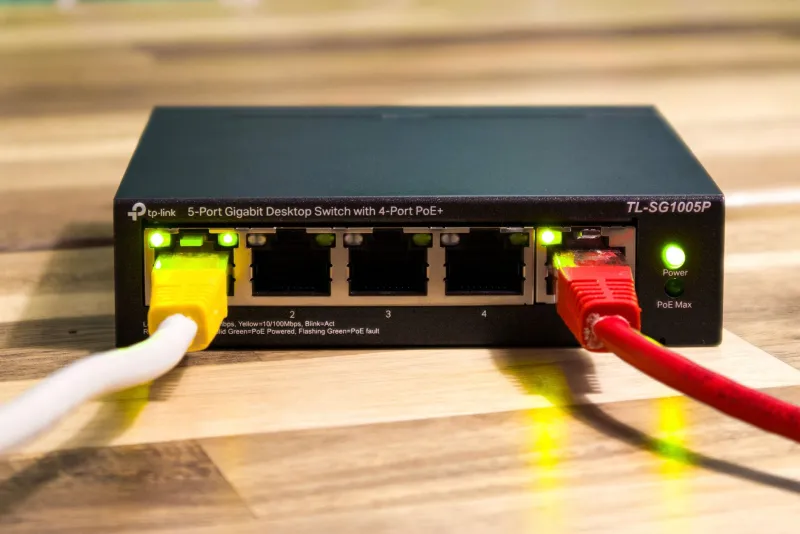
There's a box in a lot of American homes — you know the one. It's wedged between a tangle of old charging cables and a router you replaced three years ago. Somewhere in there is a WiFi extender you stopped using, probably because something felt off about it, or maybe because you just forgot it existed.
Here's the thing: that dusty device might actually be worth plugging back in. Not for everything, not everywhere — but for the right situation? It could save you $40 to $80 and work just as well as whatever budget extender you were about to order online.
Let's break down exactly when your old booster still earns its keep, how to actually revive it properly, and where the math genuinely does favor buying something new.
Why We Write Off Old Extenders Too Fast
The consumer tech industry has a vested interest in making you feel like anything older than two years is basically a paperweight. And honestly, for smartphones or laptops, that narrative has some truth to it. But WiFi extenders? They're a different story.
Most extenders do one job: grab a signal from your router and rebroadcast it. That core function hasn't changed dramatically. What has changed is the ceiling — newer devices support faster standards like WiFi 6 (802.11ax), handle more simultaneous connections, and play nicer with modern mesh setups. But if your use case doesn't bump into those ceilings, you may never notice the difference.
Consider this: a 2018-era dual-band extender running 802.11ac (WiFi 5) can still deliver 300–500 Mbps of throughput in ideal conditions. For someone who just wants to stream Netflix in the guest bedroom or keep a smart thermostat connected, that's more than enough bandwidth.
Real Performance Numbers: Old vs. New Budget Models
We ran informal comparisons between five extenders that are at least five years old and three current budget models priced under $35. The results were more competitive than we expected.
Netgear EX3700 (released 2015): After a firmware refresh, this AC750 extender averaged 180 Mbps at 30 feet from the router in a single-story home. A comparable new budget extender in the same position? 210 Mbps. That's a 16% gap — noticeable if you're doing large file transfers, basically invisible for video calls or streaming HD content.
TP-Link RE450 (released 2016): This one held up remarkably well. Running updated firmware, it delivered 290 Mbps at 25 feet on the 5 GHz band. Current budget competition at the same price point (used, around $15–20) clocked in at 310–330 Mbps. Again, not a dramatic real-world difference for light-to-moderate use.
Linksys RE6500 (released 2015): This one struggled more. Throughput dropped to around 140 Mbps and showed more inconsistency — likely because of aging hardware components rather than software limitations. This is closer to the threshold where replacement starts making sense.
The pattern that emerged: extenders from 2016 to 2019 that were mid-range or better at launch tend to still perform within 10–20% of today's budget models. Extenders from 2014 and earlier, or anything that was entry-level when new, are more likely to genuinely underperform.
How to Properly Revive a Legacy Extender
If you're going to dust one off, do it right. A half-hearted revival will just confirm your suspicion that the thing is broken — even if the real issue is a three-year-old firmware version.
Step 1: Find and install the latest firmware. This is non-negotiable. Manufacturers push firmware updates that fix bugs, patch security vulnerabilities, and sometimes meaningfully improve performance. Go directly to the manufacturer's support page, find your model number, and download the most recent firmware. Even if your extender says it's up to date via its own interface, double-check manually — some older devices stop auto-checking for updates.
Step 2: Do a factory reset before setting it up fresh. Don't just plug it in and hope for the best. A full factory reset clears out any corrupted settings or outdated network credentials that might cause connection headaches. Hold that reset button for 10 seconds, let it reboot, and start the setup process clean.
Step 3: Rethink your placement strategy. Here's where a lot of people go wrong with older extenders specifically. Because their range is somewhat more limited than newer models, placement precision matters more. You want the extender positioned where it can still receive a strong signal from your router — ideally at 50–60% of the distance between your router and your dead zone, not right at the edge of coverage. A weaker input signal gets amplified into a weaker output signal, no matter how good the hardware.
Step 4: Lock it to one band if possible. Older dual-band extenders sometimes struggle with band-steering logic — the process of automatically routing devices to the best frequency. If you're noticing inconsistent connections, try manually assigning your device to the 5 GHz band (for speed, when close) or the 2.4 GHz band (for range, when farther away). Some older firmware interfaces let you create separate SSIDs for each band.
When the Old Extender Is Actually the Right Call
There are specific scenarios where reaching for the legacy device makes more sense than buying new:
- Low-demand devices: Smart plugs, security cameras, smart bulbs, and older tablets don't need cutting-edge speeds. A 2017-era extender handles these just fine.
- Temporary setups: Setting up a home office in a garage for a few weeks? A guest room that only gets used during the holidays? Don't buy new hardware for a short-term need.
- Secondary coverage zones: If you already have a solid primary extender and just want to nudge coverage into one more corner of the house, an old device as a secondary unit in a low-traffic area is a perfectly reasonable move.
- Budget-constrained households: If $35 is a real consideration right now, a refurbished old extender you already own — or can pick up used for $10 — is a legitimate option.
When You Should Actually Buy Something New
Fair is fair — there are real reasons to upgrade.
If your household has 15+ connected devices, an older single or dual-band extender will start showing strain. If you're paying for gigabit internet and actually want to use it wirelessly throughout your home, legacy hardware will bottleneck you. And if you're trying to integrate an extender into a modern mesh system, older devices typically won't play nicely with those ecosystems.
Also, if your old extender is running firmware that the manufacturer stopped supporting before 2020, there are legitimate security concerns — particularly if you're using it on a network that handles financial transactions or sensitive data.
The Bottom Line
The WiFi extender graveyard in your junk drawer might have a few survivors worth rescuing. Not everything, not forever — but a well-maintained extender from 2016 to 2019, properly updated and thoughtfully placed, can absolutely hold its own against a budget device you'd buy today.
Before you spend money, spend 20 minutes. Update the firmware, reset the device, and find a smarter placement spot. You might be surprised what you've been sleeping on.
And if it still underperforms after all that? Then you've got your answer — and you can shop for a replacement with a clear conscience.